Posts

Survey Result: Which one of my tools do you use the more?

Image
Here is the result of the survey: I’m not so surprised by the result… The top 3 represents the tool that help me the most during my customizations.

Tool update: View Layout Replicator

Here is an update again… Well, that should be the last one as the tool should manage every aspect of a view layout from now. So, the problem was the following: When views were replicated, some attributes that are not used in the layout were remaining in the fetchXml part of the view (the part that defines which records will be displayed). This avoids to delete these attributes from the entity as they were still used in a published view, even if you were not able to remove this reference (Unless you export the customization, remove the attribute from the fetchXml and import back the updated customization). This new version takes care of the layoutXml (which columns are displayed) AND the fetchXml (which attributes are retrieved under which conditions). I hope nobody was affected by this problem. As usual, you can download the latest version on the right pane of this blog.

New tool : Home page updater

Image
This tool is a pretty small one and was created as I was looking how it was possible to bulk update user options. So, the tool just allows you to select users and define which pane and tab will be used as the user home page. Download:

Tool update: View Layout Replicator

Hi all, After a week of holidays in a charming French island in the Atlantic ocean, I’m back with full battery! Just before my holidays, I updated the view layout replicator since I encountered some difficulties replicating views with related entity attributes. In fact, the tool wasn’t able to manage these attributes correctly. So here is the update: You can now replicate views with related entity attributes For associated view (that doesn’t support these related entity attributes) that is chosen as target view, the entity related attributes are not replicated and a message warns you about this particular treatment. In previous version, the view was not replicated at all. As usual, you can download the latest version on the right panel of this blog.

MVP award nomination

Image
Today I am proud to announce that I have been nominated for the MVP program. So thank you to everyone that made this possible: I refer particularly to Andrew Zimmer and Philip B. from  Microsoft France. I will do my best to continue to lend my support to the Microsoft Dynamics CRM community, both through this blog on the forums. Thank you again everyone, you made this possible !

Update: View Layout Replicator

Hi all, So long since the last post… I just posted an update on the tool with two changes: The tool now displays the Xml layout of selected views The tool now propagates only the cell Xml nodes from the source view to the target view instead of the whole layoutxml property. That should avoid incompatibilities between different view types (especially the associated view). As usual, use links on the right side or go to http://mscrmtools.wordpress.com

Update: Isv Configuration Manager

Image
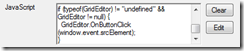
Hi, Today, one bug fix and one enhancement for this tool 1) A guy named Christoph has informed me that the attributes ValidForCreate and ValidForUpdate (in Button and MenuItem) are not set to “0” when you don’t action them. It is now corrected. 2) For the enhancement, it is just about Javascript boxes. I had to put heavy Javascript recently in buttons and menu items and I found that too boring not being able to select all existing script and delete it or even edit it in a wider window. So, I have added two buttons near Javascript textboxes: One for clearing the textbox content One to open a sizable edit dialog window The two new buttons The edit dialog window As usual, use the download link to get the latest version