Posts

Showing posts with the label tool

XrmToolBox first release on Github!

Image
Hi XrmToolBox friends, Today is a big day for XrmToolBox! First release on Github has been published and I have a lot of news to announce! XrmToolBox on Github I already made this announcement before but that’s official now, with this first release, XrmToolBox is hosted on Github and CodePlex project won’t receive updates anymore. You can reach this project on Github by following this link (or read following announcement) XrmToolBox home page XrmToolBox has its own home page now! You can bookmark www.xrmtoolbox.com . It has never been easier to find where XrmToolBox resides! If you are a XrmToolBox plugin developer, and you want me to provide you a subdomain of XrmToolBox.com, just ask (you can see the FetchXml Builder example here : http://fxb.xrmtoolbox.com ).  . New tool: FLS Bulk Updater! I don’t know if you already faced this scenario but I had to update 10 Field Security Profiles with more than 300 Fields Permissions. And it was a nightmare… Ok, you can select multi...
What’s new in XrmToolBox world

Image
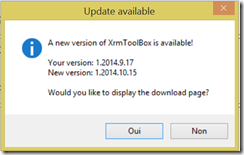
If you are using the latest version of XrmToolBox, then you should see this popup when launching it This was the super cool hidden feature of the previous version! It works (I’m relieved…) In this new release of XrmToolBox, there is three new features, as described below Optimization in plugin development Thanks to Daryl LaBar, one of the developer of other XrmToolBox plugins, the way to develop plugins for XrmToolBox has never been so easy. All you have to do is to create a user control that inherits from PluginBase class. All the connectivity is handle by the base class and you just have to focus on what your tool should do. Daryl added also helper classes to handle asynchronous call in a really easy way. Read his blog article on this topic . The documentation on CodePlex project page explains how to use the new development model. A new tool : Metadata Browser Even if Microsoft delivers a metadata browser solution in the CRM SDK package, it is just a pain to install thi...

New XrmToolBox plugin : Synchronous events execution order editor

Image
Last week, I receive a request from Rob Boyers that was asking for a tool that can help him to order execution order of synchronous events, plugin steps and workflows. Indeed, in Dynamics CRM 2013, you can set the “rank” property of a plugin step to define its execution order among other steps in the same message and stage, using the PluginRegistrationTool. Unfortunately, there is no such way to edit the “rank” property of a synchronous workflow in a UI. So, here is the “Synchronous events execution order editor”, a new XrmToolBox plugin It works only with CRM 2013 and loads all synchronous plugin steps and workflows and group them by Entity, Message and Stage. When selecting a stage, you can see all events registered and you can update the rank value. Then, just click on the button “Apply update(s)” to update events on the organization. Just a note: for synchronous workflows that are activated, they will be deactivated, updated then activated back. As usual, the XrmToolBox and i...

Change the default dashboard in Dynamics CRM 2013 with XrmToolBox SiteMap Editor plugin

Image
I updated the SiteMapEditor to allows you to change the default dashboard that is displayed when navigating to a Dashboard SubArea in Dynamics CRM 2013. To do so, follow this procedure: Connect the XrmToolBox to your organization Open SiteMapEditor plugin Load the SiteMap Navigate to an area that is a dashboard page Click on the “Browse” (…) button in the details panel (Default Dashboard Id) Select the dashboard that should be displayed when navigating to this SubArea Save the SubArea item Update the SiteMap Please note that this feature is only available in Dynamics CRM 2013 and Dynamics CRM Online Fall '13 Service Update. If you try to use this feature in CRM 2011, you will get the following error:

New XrmToolBox plugin! Assembly Recovery Tool

Image
This XrmToolBox is really a small one that is just an update of one of my CRM 4.0 tools. It allows to export .Net assemblies stored in CRM database (plugins and custom workflow activities). It eases the extraction of these assemblies instead of creating a solution to export them.

New XrmToolBox plugin! Form Libraries Manager

Image
Last month, I had to work on some JavaScript web resources cleaning and I wanted to rename all my web resources. This is not so complicated when using the Web Resources Manager plugin to drag and drop JavaScript files to some new folders. The difficult part was to update all forms that used some shared web resources like JSON2, jQuery and XrmServiceToolkit. So, I decided to write… a plugin for the XrmToolBox. So, let me introduce the Form Libraries Manager This plugin can list all JavaScript web resources and all forms (only active forms for CRM 2013). You can select web resources to add and forms where to add them. If multiple web resources are selected, you can order them and choose where to display them : at the beginning of the scripts list for forms or at the end. I’m sure this will help people to initialize all their forms with required web resources. It can also remove in bulk selected libraries. For each selected library, if it is used by a form event, a warning is display...

CrmTraceReader updated!

Image
I just updated the Trace Reader to ease loading files and searching You can now drag and drop file(s) directly on the reader (in fact, the drag and drop works only on the list of trace items but that is cool anyway ) You can also clear all filters to get back to all trace items and when you reload file(s), the filters are kept if relevant. As usual –> CodePlex

New tool : Trace Reader for Microsoft Dynamics CRM

Image
Today, I’m releasing a new tool that will help you to read trace files generated by Microsoft Dynamics CRM application (versions 4.0, 2011 and 2013). Features of the tool are: Load one file or multiple files in a folder Filter traces depending on multiple criteria Format XML of Crm Sdk typed trace Refresh trace files content Screenshots: As usual, the tool is available on CodePlex . Do not hesitate to review it or ask for improvements.

New XrmToolBox plugin: Audit Center

Image
Today, I’m releasing a new (and certainly the last, at least for Microsoft Dynamics CRM 2011) plugin for the XrmToolBox : Audit Center. The name speaks for itself: This plugin will allow you to manage the entities and attributes that should be activated for the audit feature of Microsoft Dynamics CRM. As usual, it should avoid boring steps when you want to configure your CRM application. Instead of opening each entity to activate or deactivate audit, then repeating for each attributes, you will be able to performs all these tasks in a single place. Here is what it looks like: The tool displays only entities and attributes that are valid for audit. You can then add/remove entites/attributes with the corresponding buttons. When change are detected, the button “Apply changes” is enabled. “Applying changes” does not activate or deactivate audit feature. It just update entities and attributes. To activate/deactivate audit feature, use the button in the toolbar. As usual, this plugin ...

New XrmToolBox Plugin : Easy Translator

Image
Hi all, As I wrote few weeks ago, I was working on a translation tool. It is now finished and available as a XrmToolBox plugin. The features are described in my previous post Just few more info: I tried to include ribbon items translation. Even if I was able to export ribbon labels, there is no way to update them directly using SDK (except exporting/importing solutions). After having exported translations, please do not change anything on the Excel workbook structure, especially sheets name and colorized cells. When using this tool, please backup your organization before importing translations. I made some test but can’t assure there is no risk even if I’m only using supported methods Here's what the interface looks like As usual, to download it, go to CodePlex

What to expect for my new tool to come

Image
Last week, David J. was asking to the MVP list how to get more accurate data when comes the time to translate CRM customizations. His concern was to get contextual information about the terms to translate. I can only agree with him… When exporting translations, you just get an ID and the term to translate. You don’t know where it is used… So my next tool will be a tool that exports data to translate, but with contextual information. The tool will of course be able to import these data back to the CRM application. Export and import will be managed in a supported way using web services only. What will be included Entity names and descriptions Attribute name and description Boolean, Picklist, State and Status OptionSet Attribute labels View name and description Form name and description Form Tabs name Form Section name Form Field name All these items have been tested successfully on UR12 organization. I still need to check if new forms are structured in the same way th...

XrmToolBox Update: A lot of new stuff!

Image
Last week, I worked on more than just tools embeded in the XrmToolBox. I worked on the XrmToolBox itself. Here is a (quite) big list of improvment. So, it’s only a week since the last version but it worth it… If you are too lazy to read the article and want to download the new version now, go on CodePlex . Prerequisites check There is so many people asking me why they got errors or why there is no tool listed when launching the XrmToolBlox that I decided to add some check features. Now, if you don’t have Windows Identity Foundation 3.5 installed, you get the following message More, if tools assemblies are blocked by Windows (it happens), this message is displayed Connection The toolbox now uses the Microsoft.Xrm.Client namespace to manage connection. The code is easier to read and maintain. The code is updated but the UI is too. Especially when you want to connect to an online organization, you don’t have to type the server name anymore. You just have to select the server name...

Web Resource Manager : Identify and delete unused web resources

Image
With the latest version of the XrmToolBox and the WebResourceManager plugin, there is now a new feature that displays a list of “unused” web resources. Well, it is in fact a list of web resource without any dependency. It does not mean that they are not used by other web resources, but it is a reduced list of web resources to analyze to check if they are still in used. Then with the “Delete selected web resources” button, you can delete web resources you don’t need anymore. Hope it will help you maintaining clean web resources list!

Metadata Document Generator is back!

Image
Today, and after a long time since the XrmToolBox was released, the Metadata Document Generator tool is now available as a plugin for the toolbox. It provides the same features than the previous stand alone version, with some extra: You can add location of attributes in forms You can select attributes NOT on forms And still: Excel or Word output (thanks to GemBox Software API) Language selection (if multi language enable on organization) Attributes selection: all attributes optionset and boolean attributes only attributes used in forms attributes not used in forms (new) attributes selected manually Attributes metadata selection Save/load settings to avoid losing time replaying the same document generation As usual the tool is available as part of the XrmToolBox application, on CodePlex

XrmToolBox Update : v1.2013.3.22

Hi, The XrmToolBox application has been updated, here is the changelog: XrmToolbox improvement Use Internet Explorer proxy settings Group all CodePlex links in a common menu   Tools improvement Web Resources Manager (v1.2013.3.14) Find/Replace feature for code (JavaScript, Css, Html, Xslt) web resources Css highlighting New shortcuts: Ctrl+S : Save Ctrl+R : Replace with new file content Ctrl+U : Update and publish Role Updater (v1.2013.3.20) Fixed a major bug that didn't allow user to execute role updates   All tools list Access Checker (v1.2013.2.5) Attribute Bulk Updater (v1.2013.1.17) FetchXml Tester (v1.2013.3.4) Iconator (v1.2013.1.17) Privileges Discovery (v1.2013.3.4) Role Updater (v1.2013.1.10) Script Finder (v1.2013.1.10) SiteMap Editor (v1.2013.1.10) Solution Import (v1.2013.3.4) View Layout Replicator (v1.2013.1.30) Web Resources Manager (v1.2013.3.4) As usual, the tool is available on CodePlex

New tool! Privilege Discovery

I already blogged about that tool in the previous post so you can find all information about the tool here . Just notice that Donna won the contest to find the name of this tool. Congrats, Donna! The tool with the XrmToolBox can be found on CodePlex

New XrmToolBox plugin: What’s its name, again?

Image
As usual, when I develop a tool, it is in response to a need expressed by a customer or colleague. The need, this time, was to be able to identify which security roles allow users to perform a specific action. In more technical terms, how is it possible to retrieve security roles that implement a specific set of privileges. Of, course, SQL queries can help. But when you are not a technical guy, you can’t use SQL. This is why I developed this new plugin, which is named… I don’t know! So, just read the following to see how this plugin works and help me to find its name before I release it publicly. How it works The plugin simply retrieves all available privileges and all security roles. The user can create a set of privileges with the privilege depth included (none, user, division, division and sub division and organization, or any depth). Then, he can display the list of security roles that match this privileges selection. Sceenshot Help me Please answer to this post and help me ...

New XrmToolBox plugin by Procentrix: XRM Prep

Image
Today is a great day! Of course, I really like my XrmToolBox application because it is a great way to ship multiple tools in one application. But since two weeks, I am no more the only one to develop with the XrmToolBox! Nick from Procentrix has developed a plugin that will help you to initialize a new organization that is cleaned of standard configuration/records like reports, dashboard, roles. It also comes with a security role with the minimum set of privileges required to connect to the application. You can review the release announcement on procentrix blog

Some new contents for the XrmToolBox

Image
I received some improvement requests from some users of my XrmToolBox and, as you know, it is so easy to develop tools for the XrmToolBox that I did what was asked, which is: Converting the CRM 4.0 tool Access Checker for CRM 2011 : So, this is a new tool. It allows you to check what access have a specific user for a specific record. You can define an entity, search for a specific record and a specific user and see what access rights are available. Working with user views in View Layout Replicator : Yes, you can now propagate a user view layout to a system view and vice versa. Of course, you need read and write access to these user views since CRM security can’t be bypassed regarding userview. If the user view has not been shared with you with read and write access, the tool won’t work. As usual, you can find everything on CodePlex

XrmToolBox updated : 1.2012.1.17

Image
Hi guys, no, I won’t talk about my HTML/JS grid in this post even if you expect it ! Wait couple of days, I’m in the process of improving performance… I just wanted to notice a new version of the XrmToolBox which has minor improvements, but has a new tool: the Fetch Xml tester. It was a personnal tool I was using when writing my fetchXml queries and as I needed it for my HTML/JS grid, I transformed it in a XrmToolBox plugin (see screenshot below). To see others improvements or download the new version, go to the Download Page
